Lock folders instantly using Touch ID.
FolderLock is a lightweight macOS menu bar utility that quickly locks and unlocks folders using native POSIX permissions; without encryption, vaults, or moving your files.
See it in action
Why FolderLock?
Built for users who want fast folder restriction without complicated encryption tools.
Instant Locking
Lock even massive folders in milliseconds. No encryption processing, no vault migration, no waiting.
Touch ID Support
Quickly unlock protected folders using native Touch ID or password authentication.
Native macOS Experience
Menu bar integration, Launch at Login support, modern popovers, and lightweight performance.
Non-Destructive
Your files stay exactly where they are. FolderLock never moves, encrypts, or modifies your data.
Lightweight
No bloated UI, no background services, no unnecessary complexity — just fast folder protection.
Recovery Guide Included
Clear recovery instructions are included to help users handle permission edge cases safely.
How it works
From download to locked folder in under a minute.
Download & Install
Open the .dmg, drag FolderLock to Applications, and launch. macOS may ask you to right-click → Open on first launch.
Find it in the Menu Bar
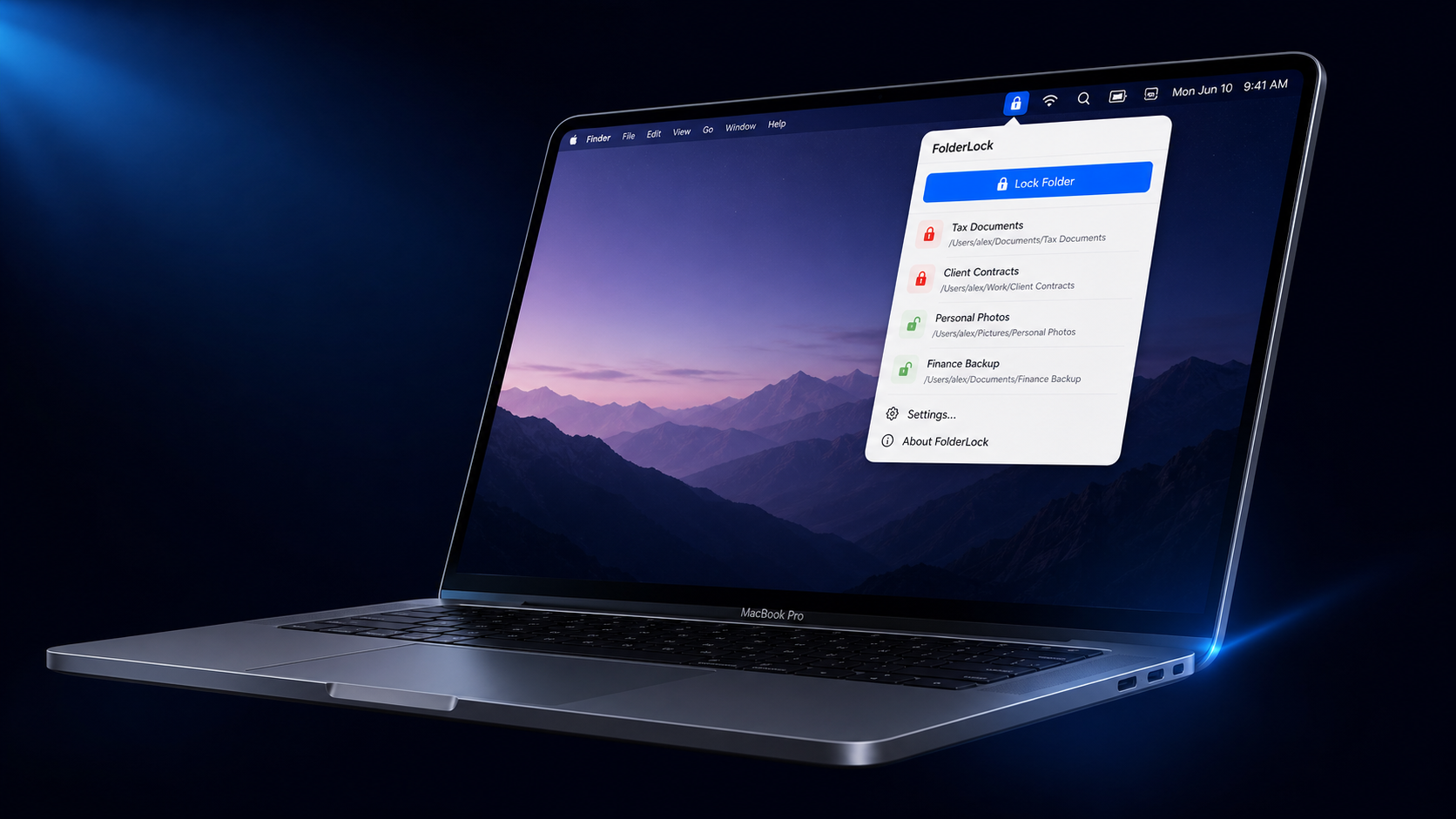
FolderLock lives quietly in your menu bar. Left-click the icon to open the folder manager. It stays out of your way until you need it.
Lock a Folder
Click Lock Folder, select any folder on your Mac, and it's instantly protected. It appears in your list with a locked status.
Unlock Instantly
Click the lock icon next to any folder and authenticate with Touch ID or your custom password. Your folder is instantly accessible again.
Touch ID
Uses your Mac's fingerprint sensor for instant unlock. If Touch ID fails, macOS automatically falls back to your Mac login password — no friction.
Custom Password
Set a personal password used exclusively within FolderLock. Stored securely — never in plain text. Forgot it? Verify via Touch ID in Settings to reset it instantly.
Your data, untouched
FolderLock does not encrypt your files. It restricts access using folder permissions — your files stay exactly where they are, never moved or modified.
If FolderLock is ever removed while folders are locked, a Recovery Guide is included with the app to restore access safely.
Built differently from encryption apps.
FolderLock focuses on fast access restriction instead of heavyweight encryption workflows.
Moves Files Into Vault
Touch ID Support
Lock Speed
Lightweight Menu Bar Utility
Quick Access Restriction
| Feature | FolderLock | Traditional Vault Apps |
|---|---|---|
| Moves Files Into Vault | No | Yes |
| Touch ID Support | Yes | Limited |
| Lock Speed | Instant | Slow |
| Lightweight Menu Bar Utility | Yes | Usually No |
| Designed for Quick Access Restriction | Yes | Not Primary Focus |
Simple folder protection for macOS.
Built independently by Jabin Jawad as part of the Glyzer Apps ecosystem.